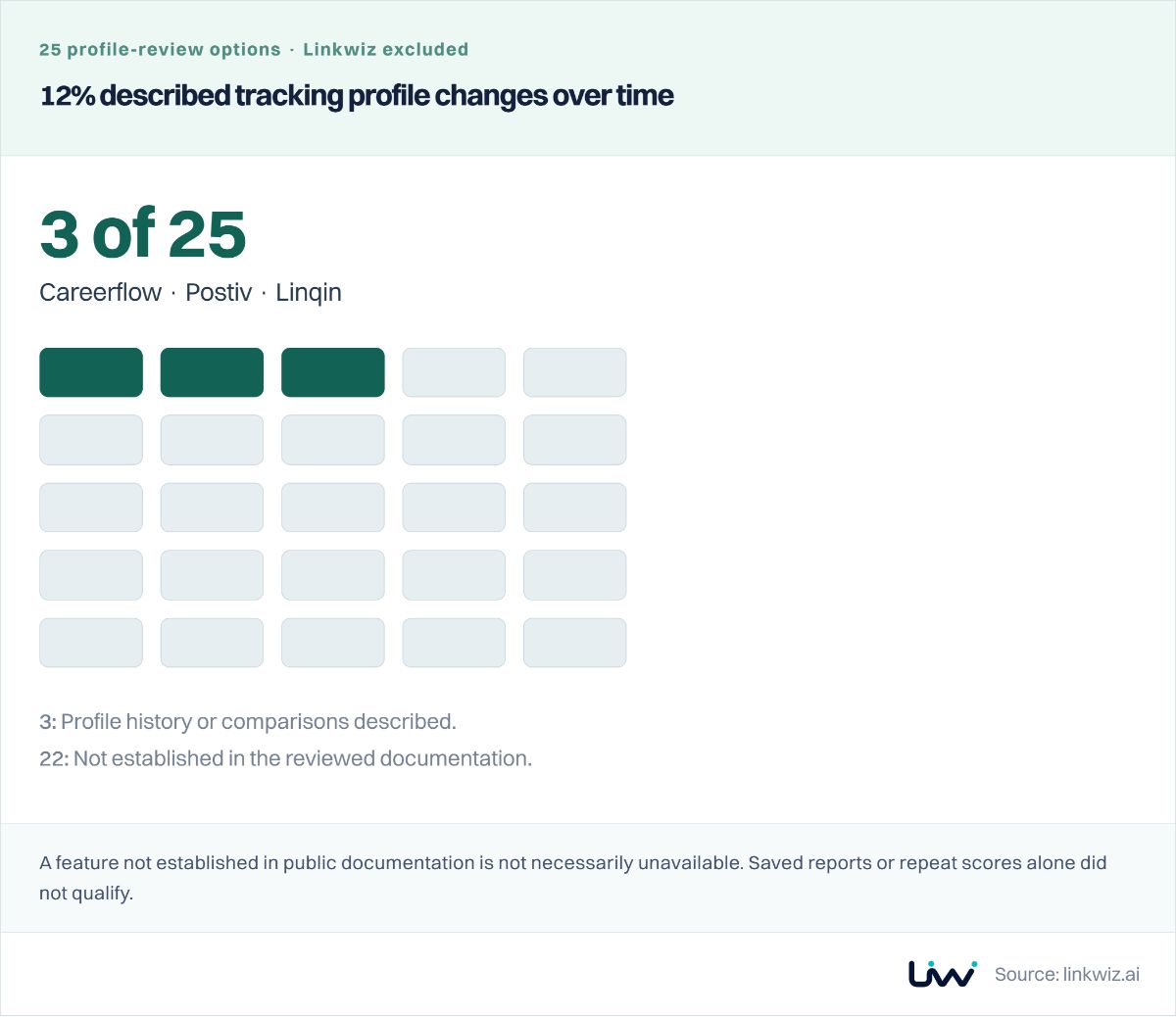
With HeyReach Sender Rotation, a prospect may hear from any account selected for a campaign. Review every sender's LinkedIn profile before launch, including executives or specialists whose expertise is part of the introduction.
Use Linkwiz's Profile Optimization report to see which sender profiles need updates, read the evidence and give each person a specific next step. Keep campaigns, private replies and outreach results in HeyReach. Linkwiz adds a company review of the employees behind those campaigns and their captured public activity.
Example: Walt creates video content for businesses and uses HeyReach to contact marketing directors at target accounts. The campaign includes four employees with different profile findings and public contributions.
Prepare every profile selected for Sender Rotation
Walt adds account executives Belle Beaumont and Arielle Reed, and SDRs Peter Panley and Jasmine Vale, as senders for its campaign. HeyReach’s Sender Rotation assigns outreach across those accounts. The campaign manager selects the senders; each employee reviews the profile prospects will see. Preparing Belle alone would leave the other three first impressions unchecked.
HeyReach + LinkwizOne campaign · Several sender profiles
Four senders. Four profiles your prospects may check.
HeyReach · LinkedIn Senders
Walt · Marketing directors at target accounts
BB
Belle Beaumont
Account Executive
AR
Arielle Reed
Account Executive
PP
Peter Panley
Sales Development Representative
JV
Jasmine Vale
Sales Development Representative
A prospect opens Belle’s LinkedIn profile
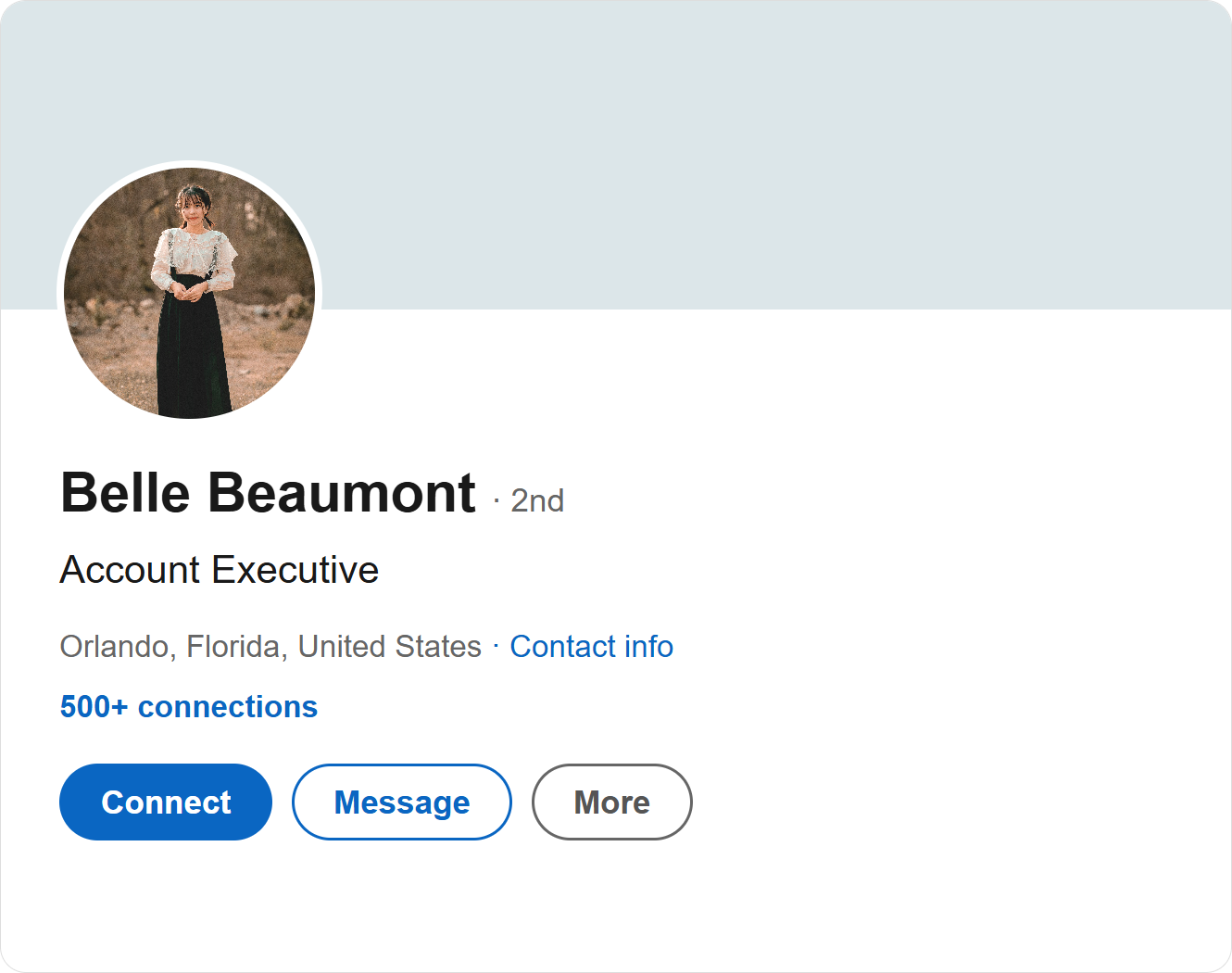
No cover image. A distant photo. A headline without Walt.
HeyReach’s outreach guidance puts it directly: “Fix the profile before launching campaigns.” Its Sender Rotation workflow makes that advice relevant to every account selected for a campaign.
Belle's headline says only “Account Executive”, without Walt. Her cover is missing, and the distant portrait makes her harder to recognize. Review these details for each selected sender, then repeat the review when a new colleague joins the campaign. A shared sequence does not make the sender profiles interchangeable.
Check the profiles behind your LinkedIn Senders list
Walt creates a Linkwiz company report with its employee LinkedIn profiles. It brings public profile findings and activity into one place, with 19 checks across Profile, Engagement and Networking. Walt selects the four HeyReach senders for this review. The report still runs all checks; the three below are the findings relevant to this example. Tracked employees do not each need a Linkwiz workspace account.
In Optimization opportunities, Walt sees how many profiles need each improvement. The Matrix shows who needs it. Two of these four employees need Walt in their headlines, two are missing an About section, and three need a company related post in Featured.
LinkwizWalt · Profile Optimization · 4 profiles
Which sender profiles need attention?
Headline
2 Good · 2 Optimize
Featured
1 Good · 3 Optimize
| Employee | Headline | About | Featured |
|---|
Belle Beaumont Account Executive | Optimize | Optimize | Optimize |
|---|
Arielle Reed Account Executive | Good | Optimize | Good |
|---|
Peter Panley Sales Development Representative | Optimize | Good | Optimize |
|---|
Jasmine Vale Sales Development Representative | Good | Good | Optimize |
|---|
BB
Belle Beaumont
Account Executive
AboutOptimize
FeaturedOptimize
AR
Arielle Reed
Account Executive
HeadlineGood
AboutOptimize
FeaturedGood
PP
Peter Panley
Sales Development Representative
HeadlineOptimize
AboutGood
FeaturedOptimize
JV
Jasmine Vale
Sales Development Representative
HeadlineGood
AboutGood
FeaturedOptimize
Three Profile checks shown. Belle’s headline finding is expanded below.
The campaign manager uses the matrix to assign individual requests. Belle and Peter add Walt to their headlines. Belle and Arielle add an About section. Marketing supplies the current cover and suitable company posts for Belle, Peter and Jasmine to choose for Featured. Each employee makes their own LinkedIn updates; one team lead follows up before launch and when senders change.
The review can include a founder or subject matter expert as well as salespeople. One of HeyReach’s customer playbooks describes a cybersecurity practitioner reaching CISOs. When expertise is part of the introduction, the sender’s profile needs to make that expertise easy to recognize.
Give each sender a specific profile update
Belle’s individual report flags the missing company name in her headline. Evidence shows the existing text. Recommended next step explains what to change, with a colleague’s profile as an example.
LinkwizIndividual report · Headline
Make Belle’s company and role clear
BB
Belle Beaumont
Account Executive at Walt
Is the company mentioned in their headline?
OptimizeEvidence
Current headline
Account Executive
Walt is not mentioned.
Recommended next step
Add Walt to your headline and explain who you help. For example: Account Executive at Walt | Video campaigns for marketing teams.
Example from Arielle Reed · Good
Account Executive at Walt | Helping marketing teams plan video campaigns
Share Belle's headline finding with her, including the current text and Arielle's example. Ask her to add Walt and explain the marketing teams she helps. The request is small enough to act on, and the team lead can check the same finding in the next available report. Arielle's headline gives Belle a starting point while leaving room for her own experience.
Belle also needs an About section and a relevant company post in Featured. Keep those requests in her individual plan rather than sending all four employees the same checklist. Marketing provides company assets and examples; Belle decides how to describe her role and makes the changes on LinkedIn.
This still matters when someone else handles the reply. HeyReach’s Unibox lets permitted teammates reply through another sender's account. The prospect still sees that sender's identity. Agree who owns the conversation and can reply. Unibox can import all LinkedIn conversations or only those started through HeyReach; choose the scope that fits the team's arrangement.
For another approach to prospect ownership and team campaign access, see the Waalaxy guide.
For a fuller view of the checks and recommendations, see LinkedIn profile optimization for teams.
Use AI for campaign work and individual profile support
HeyReach's MCP lets a connected assistant prepare campaigns, draft messages, tag replies and review performance. It connects to a specific workspace. Check the assistant's supported setup, workspace access and available actions before using it. The campaign manager can use that connection for outreach preparation and inbox follow-up.
For profile follow-up, a lead can use an assistant connected to Linkwiz to summarize the selected senders' findings and prepare individual requests. Belle can discuss her own headline and customer experience with Linkwiz privately in Slack. Or she can upload an exported profile optimization plan to ChatGPT or Claude and work through it without installing the Linkwiz connector herself. Keep campaign management and private replies in HeyReach, and profile updates in the employee's plan. Connecting both products to an assistant does not synchronize them automatically.
See HeyReach's MCP capabilities, its Claude connection guide and the Linkwiz guides to individual profile updates and team AI support.
Add conversations around the outreach
HeyReach’s GTM Brigade customer playbook describes reps liking and commenting on target contacts’ posts before outreach to the same list. It reports about 50% connection acceptance for one campaign. That is a customer reported outcome, not a Linkwiz result or a controlled test of what caused it.
HeyReach’s sequence builder includes Like Post, an automated action. A thoughtful comment is a separate contribution by the employee. Linkwiz’s Activity Tracking report lets Walt inspect those public contributions with the original posts, so a conversation can be reviewed beyond knowing that an outreach step ran.
HeyReach + LinkwizExternal network · Comment evidence
A post like and a written contribution
HeyReach · Sequence action
Like Post
An automated action in the outreach sequence.
The employee’s comment is a separate contribution.
Linkwiz · Activity Tracking
BB
Belle Beaumont
Comment · September 18
We find it helps to agree on the audience and message before choosing video formats.
Original post
Julian Vale
Marketing Director at DreamWorkshed
What makes a video campaign brief useful for your team?
Julian is the marketing director at DreamWorkshed, one of Walt's target accounts. His post asks what makes a video campaign brief useful. Belle adds a point from her work with customers: agree on the audience and message first. Read her comment beside Julian's post, then decide whether another colleague has relevant experience to contribute. Help with a draft belongs in a conversation with a connected assistant or Linkwiz in Slack; the Linkwiz feed supplies posts and context.
See who the senders engaged with
One comment does not show the whole team’s participation. In External network, Walt reviews the four senders during 14 to 20 September. The report shows 24 interactions with four people and two company pages, made by three of the four employees.
LinkwizExternal network · 14 to 20 September
Who did the senders engage with?
24
Interactions
Reactions, comments, reposts and mentions
6
People and pages
4 people · 2 company pages
3 of 4
Employees engaged
Selected campaign senders
Interaction mix
12 reactions
8 comments
2 reposts
2 mentions
Belle 10 · Arielle 8 · Peter 6 · Jasmine 0
The mix separates 12 reactions, eight comments, two reposts and two mentions. Most frequently engaged targets and the Directional matrix connect employees with the people and pages they engaged with. The supporting activity provides the comments and original posts, including Belle’s exchange with Julian.
Use the detail to decide who needs support. Jasmine has no captured interactions in this period; the lead can ask which relevant conversations she would be comfortable joining. Belle has ten interactions, so read the contributions before assuming she needs more volume. Compare the captured targets with the accounts the campaign is trying to reach, rather than treating every interaction as equally relevant.
HeyReach records its campaign actions, including Like Post, and a lead's action history in Unibox. Linkwiz adds a review of captured public contributions across selected employees and targets. It is separate from private inbox conversations. See the external network reporting example for target and interaction detail.
If the next step is keeping prospect posts and customer follow-up together in a CRM, see the Breakcold guide.
Review each sender with two useful reports
HeyReach’s Senders analytics breaks down accepted connections, message replies, InMail replies and interested leads by sender. Linkwiz adds profile findings and the public activity behind the same employee’s name.
HeyReach + LinkwizSeparate product reports
One sender. Two reports to review.
BB
Belle Beaumont
14 to 20 September
HeyReach · Senders analytics
Campaign results
Connections accepted38
Message replies11
Interested leads4
Linkwiz · Profile and activity reports
Profile findings and participation
Headline includes WaltOptimize
About section presentOptimize
Public interactions10
Includes Belle’s comment on Julian’s campaign brief post.
For Belle, review the same period in each product. HeyReach shows 38 accepted connections, 11 message replies and four interested leads in the example. Linkwiz shows her headline and About findings as Optimize and ten public interactions, including her comment on Julian's post. A campaign reply and a public comment answer different questions; review both without adding them into one engagement total.
Compare the same senders and checks across available Linkwiz report months to see which profile updates they made. Keep campaign performance by sender and period in HeyReach. Record when profiles change and compare similar audiences and messages if you want to investigate a change in reply rates. These reports do not establish that a profile update caused more replies.
Use HeyReach on its own when sender coordination, inbox collaboration, campaign analytics and its existing AI workflows cover the decisions you need. Add Linkwiz when you also want a company report of sender profile findings, individual employee updates and captured public participation. Keep one owner for profile follow-up and agreed reply owners in Unibox. The two products support the same team through separate connections and reports.
For other ways to connect outreach with employee profile and participation reviews, explore outreach and relationship tools and the Linkwiz + Expandi workflow.
Explore the Linkwiz profile and activity demo or start a report for the employees representing your company.
About this workflow
By Linkwiz. Product evidence reviewed 14 October 2026 using the official sources linked here and Linkwiz's published report guides. This is a documented workflow, not a paid account or live connector test. Walt's profile, campaign and activity figures are Examples, not measured customer outcomes. The GTM Brigade result is separately attributed to HeyReach's customer playbook. No direct HeyReach and Linkwiz integration or reply-rate improvement is claimed.
HeyReach distinguishes connected sender seats from workspace members. Its plan guide documents MCP, API and team access. Its permissions guide explains workspace and screen access, including who can reply from sender inboxes. Confirm the current account arrangement and connector capabilities for your team. Interpret Linkwiz activity within the selected employees, period and available captured data.

.png)