
Linkwiz guides
Audit and align your team's LinkedIn profiles
Review 11 employee LinkedIn profile checks in one company report, then use team results and individual findings to decide where each person needs support.
When someone opens the LinkedIn profile of a person on your team, can they tell who that person is, where they work and what they do? A company report in Linkwiz helps you review those questions across employees, rather than asking everyone to send a screenshot.
The Profile Optimization report includes 11 Profile checks. Some concern the visible connection to your company. Others concern the person's work, public profile details or workplace verification. They are useful to review together, but they do not ask everyone to write the same headline or About section.
Create one company report
Start a company report in Linkwiz with your company website or LinkedIn Page, then select the employees' LinkedIn profiles to include. Review people across sales, marketing, customer success and other teams in the same report. The Profile Optimization area brings their results into a team view and lets you open each person's supporting finding.
Know what the 11 checks cover
The report groups these under Profile. For a practical audit, it helps to read them in three sets: what visitors see first, what explains the person's work, and the remaining profile details. These sets organize your review; they are not extra Linkwiz scores.
What visitors see first
- Full NameIs the full name visible?
- Profile PhotoIs the photo publicly visible?
- HeadlineDoes the headline mention the company?
- CoverDoes the cover connect to the company brand?
- Profile IntroDoes the current company appear at the top?
Work and proof
- WorkplaceIs the current employer shown in Experience?
- AboutIs an About section present?
- ExperienceIs the role explained with a relevant work sample?
- FeaturedIs a company related post featured?
Profile details
- URLDoes the public address need an update?
- VerificationIs workplace verification shown using company email?
An Optimize result means the stated check needs attention. A Good result means that check passed. Neither label judges the whole profile. For example, the photo check concerns whether the photo is publicly visible, while the About check concerns whether the section exists.
See what visitors see first
The top of a profile can make the company connection clear. In Belle's example, the headline names Walt, the cover carries the company brand, and Walt appears as the current company in the intro. Each employee can still describe their own role and expertise in their own words.
Walt, its employees and their example results in the illustrations are fictional.
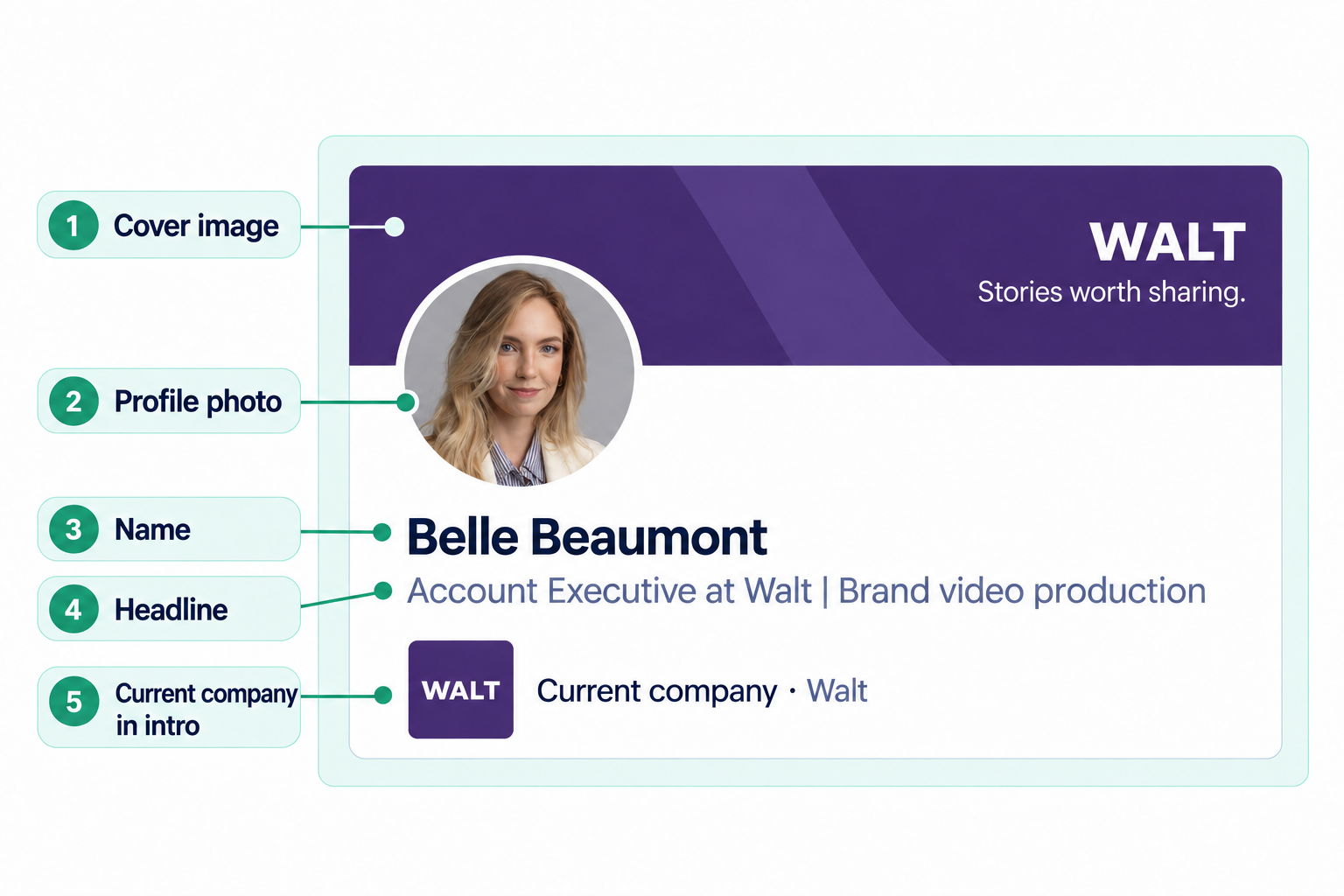
The intro is the top part of a LinkedIn profile, not the About section. Linkwiz checks whether the company appears there. The Full Name and Profile Photo checks address public visibility; a visible photo is not a rating of its crop or lighting. The Cover check looks for a connection to the company brand, not a design score.
Check the work behind the introduction
Four more checks lead you farther down the profile. Workplace asks whether the current company is shown in Experience. About asks whether the section exists. Experience looks for an explanation of the role and a relevant work sample. Featured checks for a company related post.
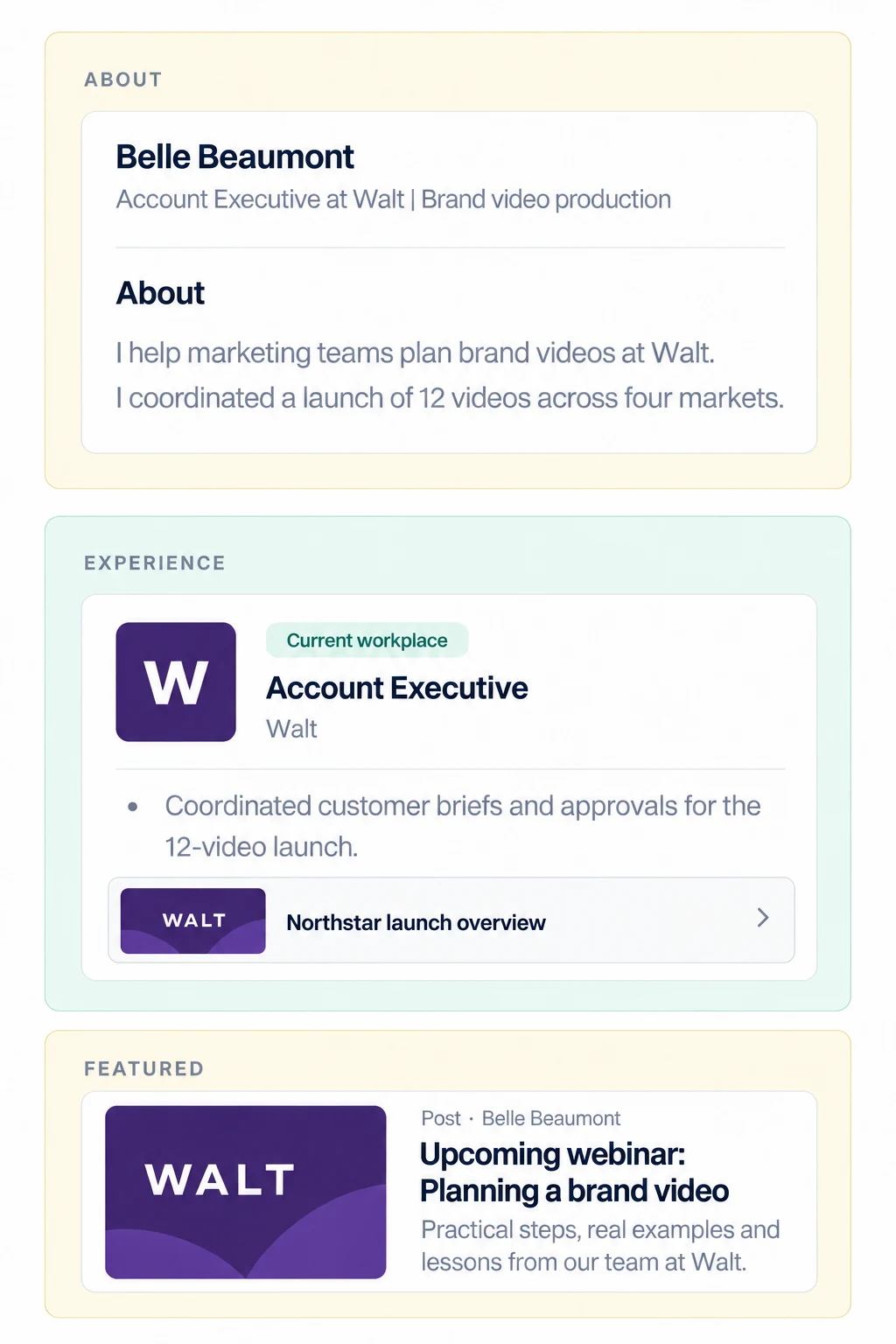
Belle's example shows how these parts can work together. Her current role names Walt, her About section describes her contribution, and Featured gives a visitor something related to her work to open. The sample writing helps a reader understand the profile; the About check itself only establishes that the section is present.
Review the URL and workplace verification
The last two Profile checks concern details that are easy to overlook. URL helps you find profiles whose public address needs attention. Verification concerns workplace verification using a company email. It is separate from the Workplace check, which looks at the employer shown in Experience. LinkedIn's verification options may depend on what is available to that employee.
linkedin.com/in/belle-beaumont-8b73a2194
No workplace verification shown for Walt.
Move from team results to a person's finding
The public Demo Company report shows 54 of 100 headlines marked Good and 46 marked Optimize. That count tells you how many employees need a closer look at the Headline check. The Matrix shows which employees those are, alongside the other checks. The excerpt below shows four columns from that wider matrix.
PROFILE · HEADLINE
Is the company mentioned in their headline?
| Employee | Headline | Cover | Profile Intro | Workplace |
|---|---|---|---|---|
 Alex Bennett Software Engineer Alex Bennett Software Engineer | Good | Good | Good | Good |
 Alex Carter Chief Executive Officer Alex Carter Chief Executive Officer | Optimize | Good | Optimize | Optimize |
Alex Carter's Headline result is Optimize. Open his individual finding to see the current text under Evidence and a specific change under Recommended next step. That is more useful than telling everyone to “improve LinkedIn.”
Is the company mentioned in their headline?
Making complicated work feel simple | Chief Executive Officer
Chief Executive Officer at Demo Company | Making complicated work feel simple
Use the same process for the rest of the audit: open the finding, see what the report found, and discuss the next edit with that employee. The employee makes the change on LinkedIn. Return to the report after a later scan to see which findings have changed and who still needs support.
The individual guides explain the edits in more detail. Use the links in the 11 check overview to reach the relevant guide for each part of the profile.
Start a report