
Choose the right people.
Define the audience. You approve exactly who is included.
How Linkwiz works
Linkwiz connects company, profile, and activity signals in one shared LinkedIn report.

The workflow
Define the audience. You approve exactly who is included.
Bring company, profile, activity, and role context together.
Keep the evidence, context, and next step connected.
See the product
Move from a company-wide view to the exact evidence behind each recommendation. Then see how the team actually participates.
Company view
Start with a shared profile and activity score, category-level performance, and the opportunities that need attention across the selected team.
Open this view in the demo
Evidence and action
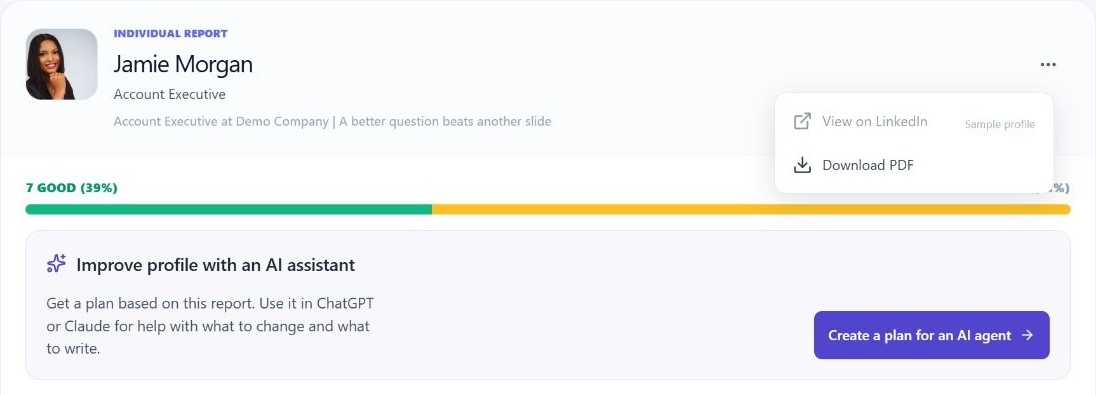
Open an individual check, see the supporting profile evidence and company context, and follow a recommendation that explains the next step.
Explore profile evidence
Activity intelligence
Review public posts, comments, reactions, and reposts alongside participation patterns and activity distribution across the team.
Open activity intelligence
The whole picture
LinkedIn presence is not one company page or one score. It is the relationship between what the company says, how its people present themselves, and what they do publicly.
Method and control
The public report starter only helps identify the company and relevant audience. The exact profiles, analysis, and report remain under the authenticated user’s control.
Finder criteria surface relevant people; Linkwiz does not assume every employee belongs in the report.
Authentication and explicit confirmation happen before profile analysis or activity scanning begins.
A new report lives in the selected workspace. Sharing is a deliberate action by an authorized user.
Recommendations keep the supporting public signal and company context attached.
Questions
No. You define the audience, review potential matches, and choose the exact profiles to include after signing in.
No. The domain helps identify the company. No profile analysis or activity scan begins before authentication and explicit confirmation.
Presence Intelligence analyzes how the company and selected people present themselves on LinkedIn. Activity Intelligence analyzes their visible participation, interactions, cadence, and patterns. The company report connects both.
Linkwiz keeps the observed public evidence, the relevant company and role context, the identified gap, and the recommended next action together so the reasoning remains visible.
New reports start private inside the selected workspace. Only authorized workspace users can access them unless an authorized user explicitly enables sharing.
Ready when you are
Start with your company, choose the people who matter, and turn connected LinkedIn signals into a shared plan.