HeyReach lets a team run one LinkedIn campaign through several senders. That means several profiles can become a prospect’s first impression of your company. Are those profiles as carefully prepared as the messages?
Linkwiz helps teams review that question together. Its Profile Optimization report shows which employee profiles need attention, the evidence behind each finding and recommendations for improving them. HeyReach handles the outreach; Linkwiz helps prepare the people representing the company.
Consider Walt, a fictional entertainment company that creates video content for businesses. Its employees, profile findings and campaign figures below form one illustrative example. Walt uses account based marketing to reach marketing directors at target accounts.
One HeyReach campaign, several first impressions
Walt adds account executives Belle Beaumont and Arielle Reed, and SDRs Peter Panley and Jasmine Vale, as senders for its campaign. HeyReach’s Sender Rotation distributes outreach across those accounts. Each person brings their own photo, headline and profile to the conversation.
Four senders. Four profiles your prospects may check.
HeyReach · LinkedIn Senders
Belle Beaumont
Arielle Reed
Peter Panley
Jasmine Vale
A prospect opens Belle’s LinkedIn profile
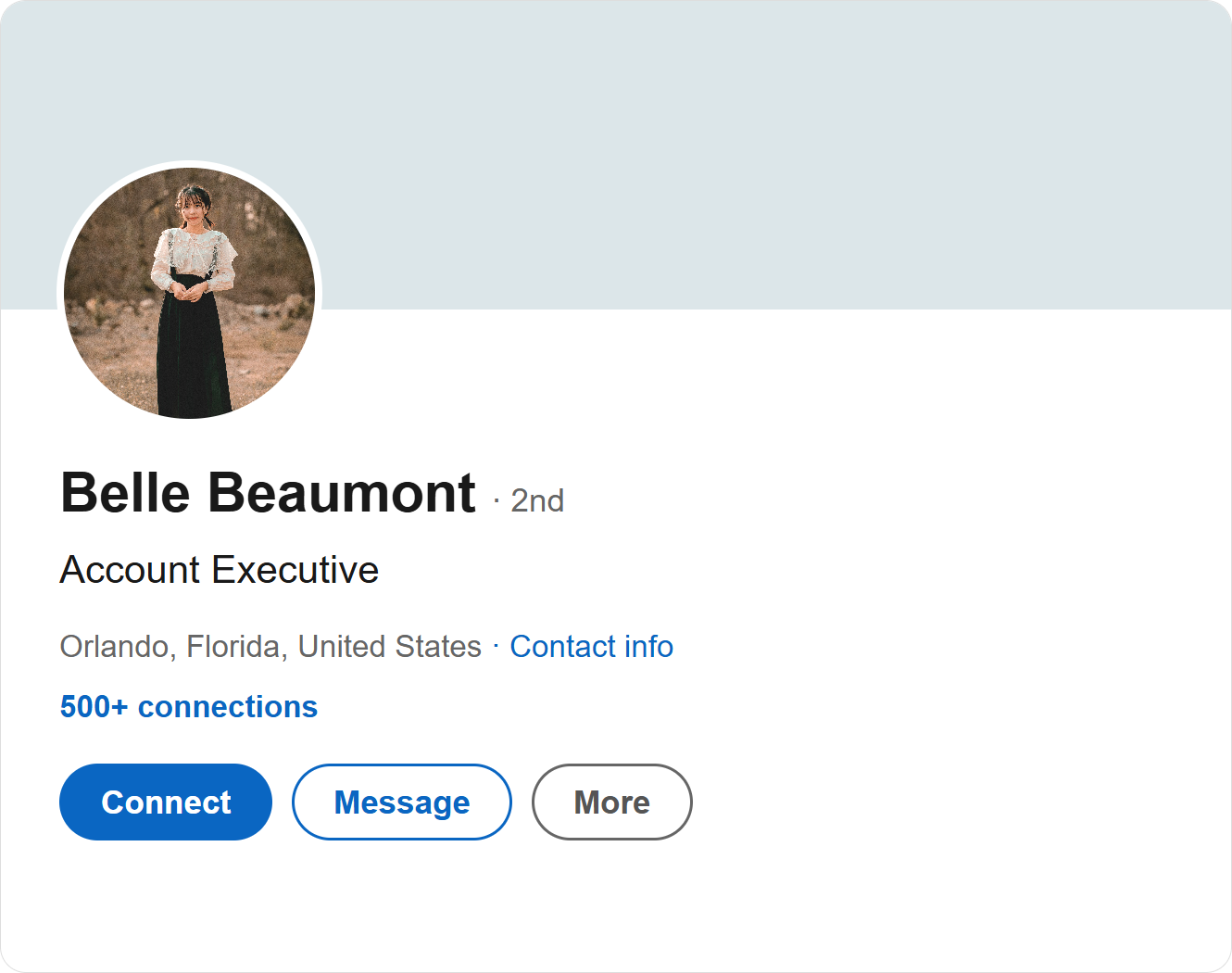
No cover image. A distant photo. A headline without Walt.
HeyReach’s outreach guidance puts it directly: “Fix the profile before launching campaigns.” Its Sender Rotation workflow makes that advice relevant to every account selected for a campaign.
A prospect who checks Belle sees a headline that says only “Account Executive”, with no mention of Walt. Her cover image is missing, and her photo makes her difficult to recognize. These are specific details Walt can address before adding more people to the campaign.
Check the profiles behind your LinkedIn Senders list
Walt creates a company report in Linkwiz covering the LinkedIn profiles of all its employees. The report brings their public profile findings and activity into one place, with 19 checks across Profile, Engagement and Networking. For this campaign review, Walt focuses on the four people selected as HeyReach senders.
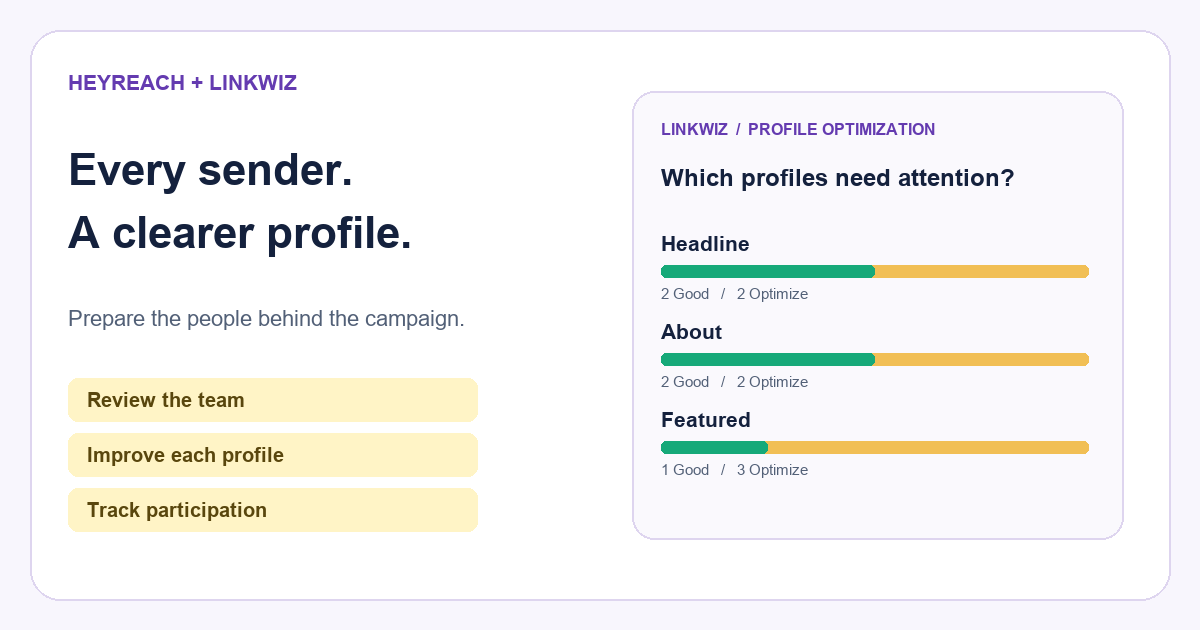
In Optimization opportunities, Walt sees how many profiles need each improvement. The Matrix shows who needs it. Two of these four employees need Walt in their headlines, two are missing an About section, and three need a company related post in Featured.
Which sender profiles need attention?
Headline
2 Good · 2 Optimize
About
2 Good · 2 Optimize
Featured
1 Good · 3 Optimize
| Employee | Headline | About | Featured |
|---|---|---|---|
Belle Beaumont Account Executive | Optimize | Optimize | Optimize |
Arielle Reed Account Executive | Good | Optimize | Good |
Peter Panley Sales Development Representative | Optimize | Good | Optimize |
Jasmine Vale Sales Development Representative | Good | Good | Optimize |
Arielle Reed
Peter Panley
Jasmine Vale
Three Profile checks shown. Belle’s headline finding is expanded below.
Now the preparation is concrete. Sales helps Belle and Arielle introduce their roles in an About section. Marketing supplies a current company cover and relevant posts employees can feature. Belle and Peter add Walt to their headlines. Employees make the changes on LinkedIn, in their own words.
The review can include a founder or subject matter expert as well as salespeople. One of HeyReach’s customer playbooks describes a cybersecurity practitioner reaching CISOs. When expertise is part of the introduction, the sender’s profile needs to make that expertise easy to recognize.
Turn a profile finding into a useful recommendation
Belle’s individual report flags the missing company name in her headline. Evidence shows the existing text. Recommended next step explains what to change, with a colleague’s profile as an example.
Make Belle’s company and role clear
Belle Beaumont
Is the company mentioned in their headline?
OptimizeEvidence
Current headline
Recommended next step
Add Walt to your headline and explain who you help. For example: Account Executive at Walt | Video campaigns for marketing teams.
Example from Arielle Reed · Good
Account Executive at Walt | Helping marketing teams plan video campaigns
The suggested headline connects Belle’s role to Walt and the marketing teams she works with. It gives someone receiving her connection request useful context before they open the full profile. Arielle’s example shows how a colleague has already made that connection clear.
The same report identifies Belle’s missing About section. She can use the recommendation to introduce her role, the customers she helps and how she works with them. A relevant Walt post in Featured can then give a visitor something concrete to explore.
This still matters when someone else handles the reply. HeyReach’s Unibox lets teammates respond through another sender’s account. The prospect continues to see that sender’s identity, so the profile remains part of the experience.
For a fuller view of the checks and recommendations, see LinkedIn profile optimization for teams.
Add conversations around the outreach
HeyReach’s GTM Brigade customer playbook describes reps liking and commenting on target contacts’ posts before outreach to the same list. It reports about 50% connection acceptance for one campaign. That is a customer reported outcome, not a Linkwiz result or a controlled test of what caused it.
HeyReach’s sequence builder includes Like Post, an automated action. A thoughtful comment is a separate contribution by the employee. Linkwiz’s Activity Tracking report lets Walt inspect those public contributions with the original posts, so a conversation can be reviewed beyond knowing that an outreach step ran.
A post like and a written contribution
HeyReach · Sequence action
Like Post
An automated action in the outreach sequence.
The employee’s comment is a separate contribution.
Linkwiz · Activity Tracking
Belle Beaumont
We find it helps to agree on the audience and message before choosing video formats.
Original post
Julian Vale
What makes a video campaign brief useful for your team?
Julian is the marketing director at DreamWorkshed, one of Walt’s target accounts. His post asks about planning a video campaign. Belle’s comment contributes a relevant point about the brief. Walt can read what she said in context and decide whether a colleague with production expertise could also help.
See who the senders engaged with
One comment does not show the whole team’s participation. In External network, Walt reviews the four senders during 14 to 20 September. The report shows 24 interactions with four people and two company pages, made by three of the four employees.
Who did the senders engage with?
24
Interactions
6
People and pages
3 of 4
Employees engaged
Interaction mix
Belle 10 · Arielle 8 · Peter 6 · Jasmine 0
The mix separates 12 reactions, eight comments, two reposts and two mentions. Most frequently engaged targets and the Directional matrix connect employees with the people and pages they engaged with. The supporting activity provides the comments and original posts, including Belle’s exchange with Julian.
That gives Walt a way to spot employees joining relevant conversations and those who may need help finding them. It can also check whether participation is concentrated around a few contacts while other priority contacts receive little attention.
HeyReach records its campaign actions, including Like Post, and provides a lead’s activity history in Unibox. Linkwiz adds the employee group view shown here. See the fuller external network reporting example for target and interaction detail.
Review each sender with two useful reports
HeyReach’s Senders analytics breaks down accepted connections, message replies, InMail replies and interested leads by sender. Linkwiz adds profile findings and the public activity behind the same employee’s name.
One sender. Two reports to review.
Belle Beaumont
HeyReach · Senders analytics
Campaign results
Linkwiz · Profile and activity reports
Profile findings and participation
Includes Belle’s comment on Julian’s campaign brief post.
For Belle, Walt can review accepted connections and replies in HeyReach, then check her profile findings and public comments in Linkwiz. A later Linkwiz scan shows whether the headline finding has changed. The reports support one review process, without a native integration or an automatic explanation of why results changed.
The hypothesis is worth testing: a clearer profile and relevant participation may help prospects feel more confident accepting a request or replying. Record when profiles change, keep the audience and sequence comparable, and review the next period. Do not attribute a change in response rate to the profile alone.
Before your next campaign, give every sender the same level of preparation you give the sequence. HeyReach helps the team reach people and manage replies. Linkwiz helps the team improve what those people see and review the conversations happening around that outreach.
Explore the Linkwiz profile and activity demo or start a report for the employees representing your company.
For a comparison of outreach, publishing and advocacy software, see our review of 30 LinkedIn tools.