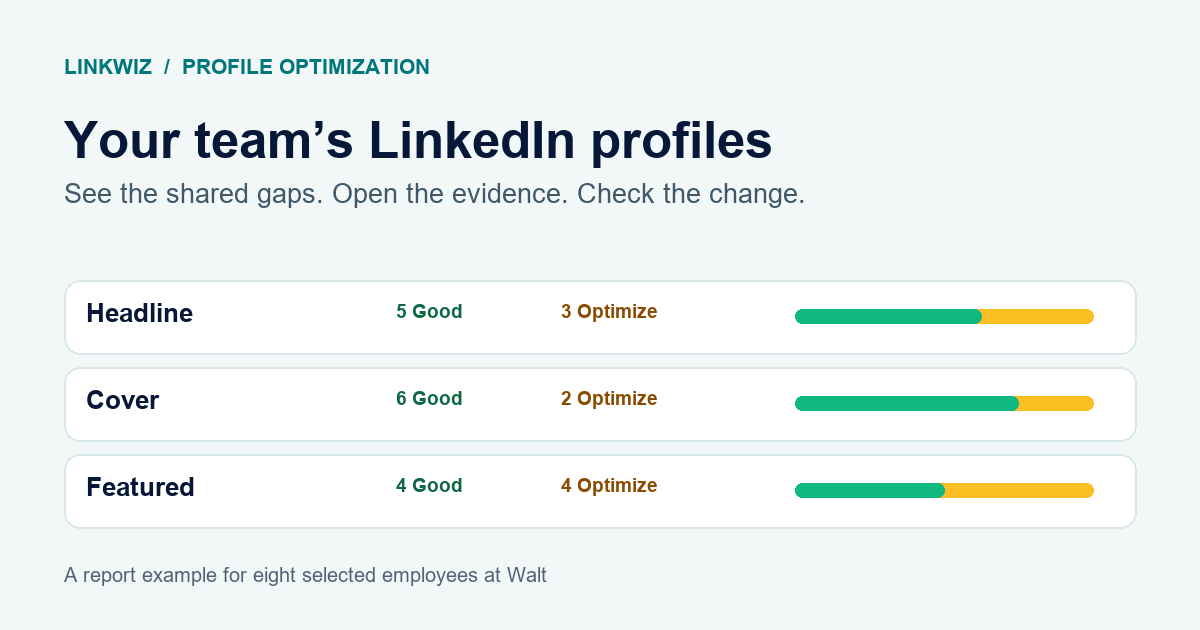
Your company has a new cover image and a clearer message. Marketing shares them with the team. Some employees update their LinkedIn profiles. Others still have an old headline or an outdated job in Experience. A potential customer looking up your team can end up seeing different versions of your company.
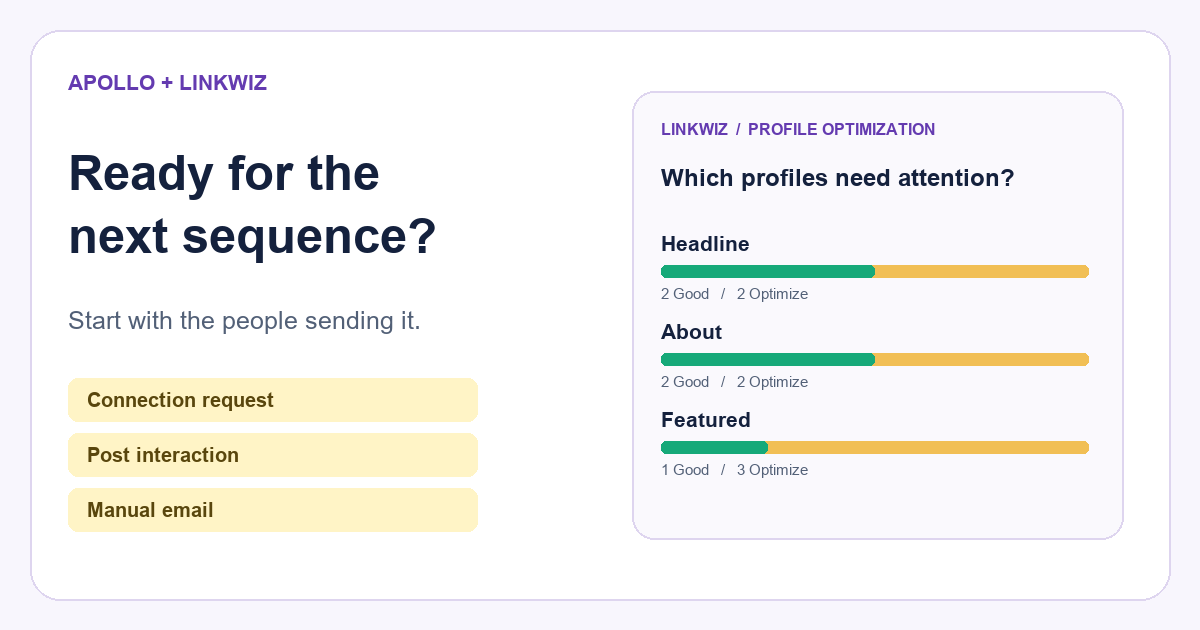
There are plenty of tools to help someone write a headline, improve an About section or create a professional photo. But a manager has a different question: which employees need an update, how can we help them, and what improved after they made the changes?
We reviewed the public documentation for 66 tools and services used to improve LinkedIn profiles. The findings below show where that choice becomes harder for teams. Linkwiz is excluded from every research percentage and presented separately as a way to address the company’s needs.
Research scope: 66 product families across profile reviews, writing, photos, banners and related services. Initial research: 8 October 2026; follow-up source checks: 10 October 2026. Percentages describe documented features in this sample, rounded to the nearest whole percent. They are not market share, a survey of users or results from testing the products.
70% help write profile sections. Only 38% review the profile you already have.
In our sample, 70% described help writing at least one LinkedIn profile section, such as a headline, About section or Experience. 38% described reviewing an existing profile. These groups overlap: some products do both.
That difference matters when you are helping a team. A new About section might read well, while the employee’s current job still points to the wrong company. Starting with writing can leave you improving the wording before you know which profiles need attention.
66 tools and services · Linkwiz excluded
Writing help is more common than profile reviews
Writing tools have a useful place in the process. For example, Jasper’s LinkedIn summary generator helps create About copy. Profile-review tools start with what is already there: Jobscan’s guide describes checking a profile against the kinds of jobs the person wants, while Postiv’s optimizer describes an audit and suggested rewrites.
Where Linkwiz fits: Start with a team profile audit to identify who needs help and which checks need attention. Linkwiz brings employee findings into a company report, with evidence and recommended next steps. That gives your team a starting point before they work on individual updates.
36% of profile-review options describe a team or organization option.
Among the 25 tools and services that review profiles, 36% had a documented team or organization option. We counted shared workflows, support for several profiles, bulk services and organizational offers. We did not count a page simply suggesting that teams could use the individual tool.
Even within that group, “for teams” can mean very different things. A career center helping job seekers, a company buying profile rewrites and a marketing team approving posts all need different features. A team subscription does not automatically tell you which employees are still missing the company’s new cover image.
What does “for teams” help you do?
A team plan can mean different things
36%
9 of the 25 profile-review options
Examples from the researched alternatives
Career coaching
Help multiple job seekers
Jobscan Organizations · Hiration
Writing or publishing
Prepare and approve content
AppLabx · Postiv
Linkwiz · outside the research sample
Employee profile updates
See who needs which change
A shared company report with findings for each employee.
Can I see which employees still need an update?
For example, Jobscan Organizations and Hiration’s higher-education offer support career services. Postiv’s team features describe roles and approvals for publishing. AppLabx describes a bulk profile-writing service for sales teams. Those are meaningful group capabilities, but they answer different questions.
The same distinction applies to company images. HeadshotPro’s company headshots help a team create professional photos in a shared style. A manager may still need to check whether each employee has used the new image on LinkedIn. Creating the material and reviewing the profiles are separate parts of the work.
Where Linkwiz fits: Its company report gives managers a shared view of employee profile findings. Use it to identify common gaps, select the employees who need help and review examples from profiles that passed the relevant checks. The team profile updates guide explains how to turn those findings into practical support for each person.
12% of profile-review options describe seeing profile changes over time.
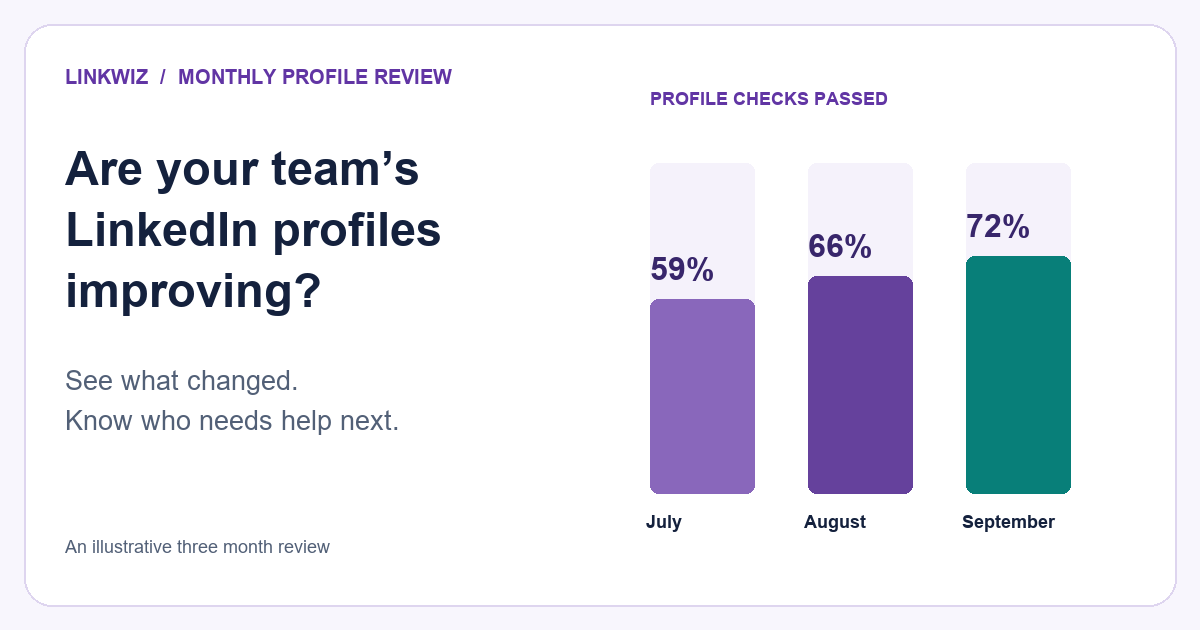
After employees have had time to make updates, the useful question is: what improved since the last review? In the 25 profile-review options, 12% explicitly described profile history or comparisons over time.
For this finding, we counted features that help someone look back at earlier profile changes or compare results. We did not count saving a report by itself, an optional repeat score without documented history or comparisons, or a before-and-after example of suggested copy.
Illustrative Linkwiz example · same people and checks
What improved? What still needs help?

Belle Beaumont
Cover image
September
Optimize
October
Good
The company cover image is now in place.

Arielle Reed
Headline
September
Optimize
October
Optimize
The headline still needs a company mention.
There are alternatives that describe this capability. Careerflow lists LinkedIn profile history for tracking changes and improvements. Postiv describes saving audits and comparing later results. Linqin distinguishes its one-off free audit from a fuller product that describes tracking profile changes over time.
Other products offer different ways to follow up. UpProfiler describes optional monthly scores. LinkedCheck lets people keep reports. These can be useful, but they are not the same documented feature as profile history or a comparison of earlier and later results.
For a company, the follow-up should stay connected to the people you helped. If you shared a cover image and headline guidance in September, you want to see which of those employees made the changes in October, which still need help and whether you are comparing the same group.
Where Linkwiz fits: Compare available scans for selected employees to see which findings changed and which remain. The profile progress guide shows how to review improvement over time. Compare the same checks and employees, pay attention to the scan dates, and keep missing information separate from a finding that needs an update.
An employee’s profile can look good and still leave your company out of the picture.
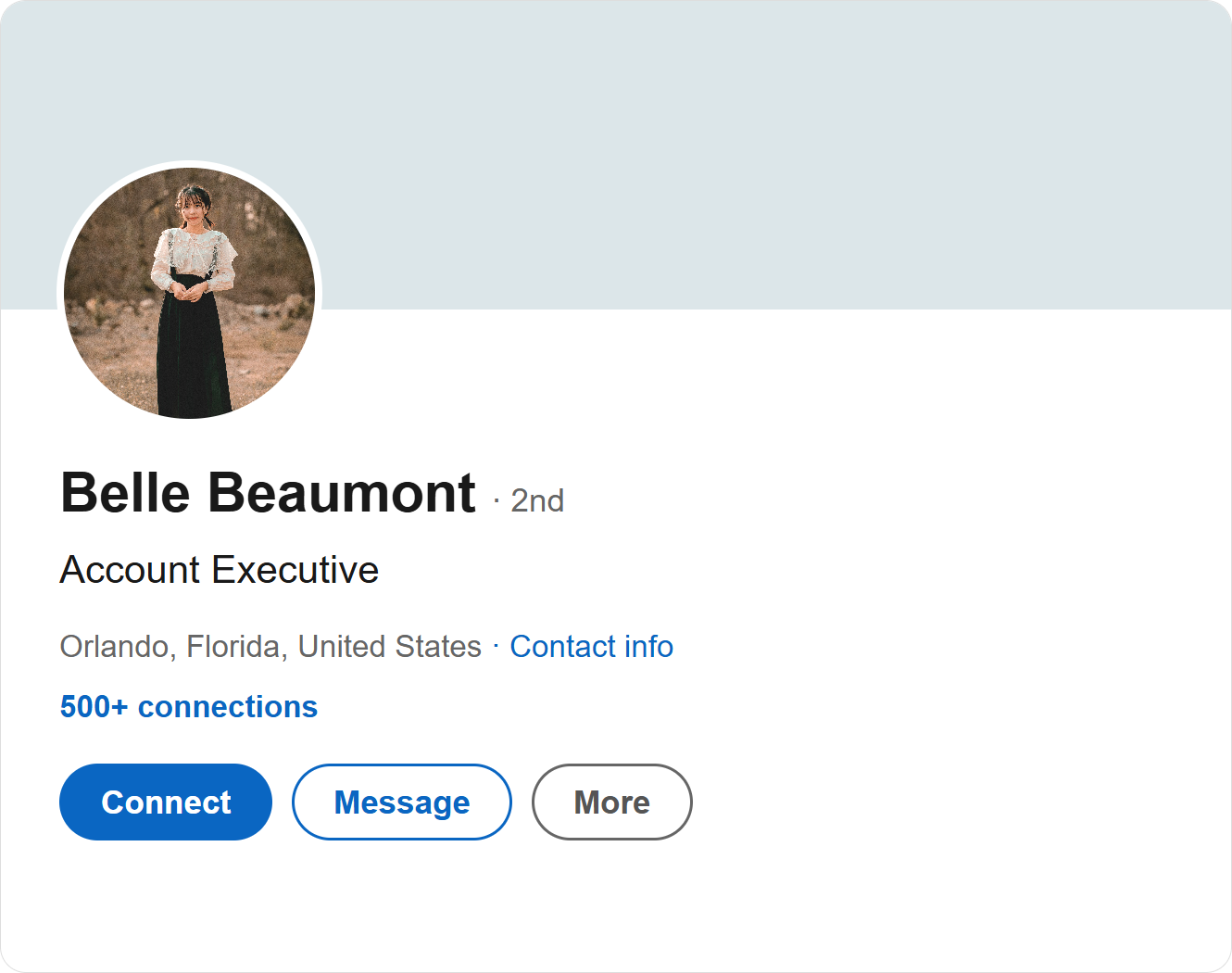
This is a separate insight from the percentages. A profile can explain someone’s experience clearly while showing an old employer, omitting the current company from the headline or using a cover image from a previous role. For a customer looking up your team, those details make it harder to understand where the person works and what they do for your company.
Some alternatives already support company branding. Linqin’s employee-advocacy features describe team brand assets, and writing or image tools can help produce company materials. The buying question is more specific: can the manager check how employees’ existing profiles connect them to the company, and see who needs an update?
Four company connections to review
Can visitors see who the employee works for?
WALT
Stories worth sharing.
Belle Beaumont
Account Executive at Walt | Brand video production
Walt
Experience
Account Executive
Where Linkwiz fits: Review company connections across the headline, cover image, current company shown at the top of the profile and workplace in Experience. Employees can keep their own voice and expertise while making their company and role easier to recognize. The team audit guide explains what to review across the wider profile.
We have not assigned a percentage to this gap. A general claim about branding or keyword optimization does not establish whether a product checks all of those company connections. A missing description is not proof that a provider cannot do it.
Turn the findings into a practical process for your team
Start by reviewing the profiles, rather than sending everyone the same request to “improve LinkedIn”. Identify the changes each person needs, share company materials where they help, and give employees a clear way to ask questions.
With Linkwiz connected to ChatGPT, Claude, Codex or Slack, employees can discuss their profile findings and get help working through the recommendations. The AI assistant uses the connected information to support the conversation; the employee reviews the advice and makes the profile changes. See how to add an AI agent for your team’s profiles and activity.
Then review improvement over time. Look at the same employees and checks across available scans. Use what still needs attention to decide who would benefit from more support. A writing tool, an image service and Linkwiz can work together: one helps create the update, while the company report helps you organize the work and review the result.
Start a Linkwiz report to see which profiles need attention, or read the team profile updates guide for the step-by-step process.
How we calculated the findings
Linkwiz was not included in the 66 researched product families or in any numerator or denominator. Free tools and paid versions from the same provider were counted together. The sample includes software and services for profile reviews, writing, photos, banners and related LinkedIn profile work; it is not a complete list of every product in the market.
- Profile writing: 70%. 46 of 66 described writing at least one profile section. This does not mean that writing is their only feature.
- Profile review: 38%. 25 of 66 described assessing an existing LinkedIn profile. Writing and review categories overlap.
- Team or organization options among profile reviewers: 36%. Nine of the 25 described a group option: Resume Worded, Jobscan, Careerflow, Hiration, SkillsFirst, LinkedOptimizer, Linqin, Postiv and AppLabx. This includes organizational offers and group services; it does not mean that all nine offer employee profile-audit dashboards.
- Profile history or comparisons over time: 12%. Three of the 25 explicitly described this: Careerflow, Postiv and Linqin. Repeat use of an individual tool or saved reports alone were excluded.
- Company connections: a qualitative finding, with no absence percentage. We did not treat undocumented features as confirmed limitations.
The figures reflect what we could establish from public documentation, including follow-up checks. Products and plans change. “Not established” means the reviewed sources did not provide enough evidence; it does not mean the feature is unavailable. We did not test product accuracy, writing quality, time saved or business outcomes, and the percentages do not rank products on those measures.
Explore the 66-product research inventory, the research methodology and source notes. The published inventory and source notes include the 10 October follow-up checks and the updated group and progress counts used here.
Additional group-offer sources: Resume Worded for organizations, Careerflow for organizations, SkillsFirst and LinkedOptimizer. Linkwiz’s own capabilities are described separately on the profile analysis product page.