

In the beginning of 2026, LinkedIn released a beta version of its AI-powered job search. But the previous search page, with the "classic" view, hides a functionality you can use to your advantage. This article shows how to reveal job posts that were posted less than 24 hours ago.
.png)
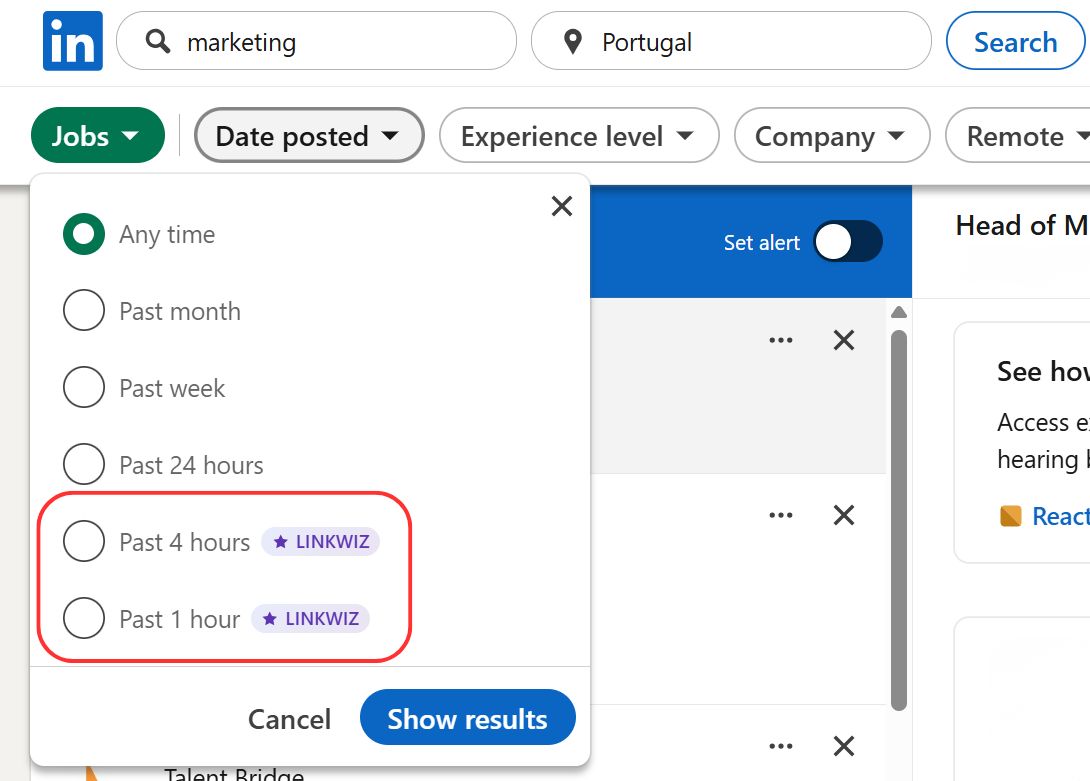
The classic LinkedIn job search offers 4 time options: Any time, Past month, Past week and Past 24 hours. Linkwiz extends these options, and has additional features to help you connect with the hiring company whether it's for lead generation or job search purpose.
The Linkwiz extension options
With Linkwiz you get two extensions to the native job search:
1. Two additional buttons are added to the Date Posted dropdown: 4 hours ago and 1 hour ago.
2. Then, when opening the job post, a new section is added to the job description to show people you are already connected with in the hiring organization.

It's a simple, yet powerful tool. Let's explore its use cases
Signal for outreach and lead generation
If you are looking for business opportunities, there are two ways to generate leads: inbound and outreach
* Inbound - Leads that finds you, by stunbling upon your content (for that, you might want to develop a content strategy) or finds you in the search results (make sure to optimize your profile to maximize search visibility and network regularly because 1st and 2nd connections appear first)
* Outreach - you find the most relevant people to speak with, and you connect with them to start a conversation on their need
Doing outreach, you want to choose wisely who to write to, not to waste your and their time. Many outreach professionals develop signals to help them idenfity opportunities and act on them. Job posts are one of those.
The challenge: be the first or be missed
Let's say you provide LinkedIn marketing services, a company that just posted that they are hiring a marketing professional might be a good signal it worth to connect with them and inquire about the option to work with you (additionally to hiring, or as an alternative to it).
The problem is - you're not the only one who is looking for signals.
Posts of "looking for a recommendation for..." often attract attention and comments from service providers looking to connect with a hot lead
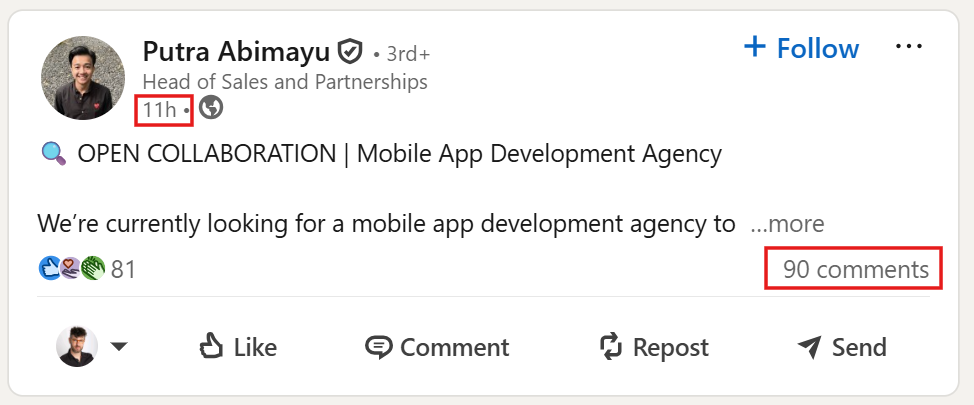
The commentors try to stand out, some of them will just write the right thing which will work. But that's rare, in reality, the best way to stand out is to be the first.

Job posts, are similar to "looking for" posts in a sence. It's not always correct, because many companies are not open to hire a service provider instead of an employee, but many times it worth the shot to try.
And many try. Using job posts as a signal is quite common. If you look at professional outreach tools, many have a built-in feature for hiring as a signal.


Linkwiz 12 hours and 4 hours filters, gives you a competitive advantage - not only that you find companies that hire, but you can also be the first to find them.
Connect with the right person
The second problem that arises when you are looking at a job post is that it shows as a hiring manager the account that posted it. And that's usually someone from the HR department.
To connect to the right person, Linkwiz offers a quick view into two lists of people:
- People you are already connected with in the organization, your 1st connections in the hiring companies
.png)
- People of a custom search, for example by title - click "Open full page" and customize the search for people with specific titles in the company, you can also expand to 2nd degrees and network with relevant people in that organization. For example, you can search up everyone with the title "director of..." and the profession you are looking for (e.g. "director of R&D")
.png)
Job searching
if you are looking for a new job, you can be one of the earliest applicants which increases the chance for you to be seen by the hiring manager
The steps to become the first applicant are the same as the steps to be the first one to offer your services, as described above in relation to signal-based lead generation
- Filter for new jobs by posted in the last 4 or 1 hours
- Extend your application efforts by outreaching to people you are already connected with in the organization, or people with the title of the hiring manager for the position
.png)