Linkwiz guides
Track and grow your LinkedIn network.
Find the right people, make a relevant introduction and keep the conversation going. Build a routine you can repeat across your team.
Growing your network is ongoing work. Review who you are connecting with, use relevant signals to find your next contacts and give people a clear reason to know you. Then stay involved in the conversations that matter to your work.
See how your network is growing
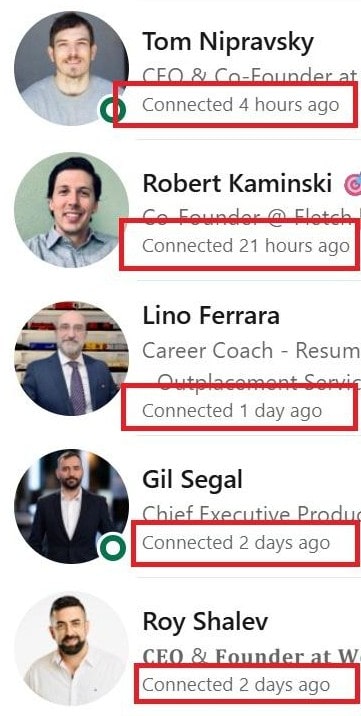
Start with your recent connections. In LinkedIn’s Connections list, review the people added over the last week or month. How many are customers, prospects, partners or peers you want to stay in touch with? Who deserves a follow up?
Record the new connection, their company and role, why they matter to your work and your next action. Compare your progress with earlier weeks, then adjust your routine if you are not meeting enough relevant people.
The sample review, messages and Walt report below use fictional people and data. The screenshots show real interfaces and conversations.
Your weekly review
Maya Reed · Northstar Studios
Marketing Director. Reason: discussed campaign approvals. Next: send the briefing checklist.
Sam Park · Brightline Media
Customer Success Director. Reason: met at a customer event. Next: share the onboarding discussion.
Want exact dates, or deciding whether to follow?
For an exact period, LinkedIn’s personal data export includes connection dates, company names and roles. Request the archive on desktop and filter your own Connections file by date. See LinkedIn’s data export.
Follow someone when you want to keep up with their public posts. Connect when you have a reason to establish a mutual professional connection. Read LinkedIn’s connections FAQ.
Find people through signals that matter to your work
Start with the companies and roles relevant to your work. Then look for a signal that gives your introduction context. A sales representative might look for a new decision maker at a target account. A marketing director might join a discussion about a problem their team has solved.
A comment on an industry post
Free LinkedIn search and discussions
Read comments on posts from industry voices or competitors. Look for people discussing a problem you know well.
A recent post
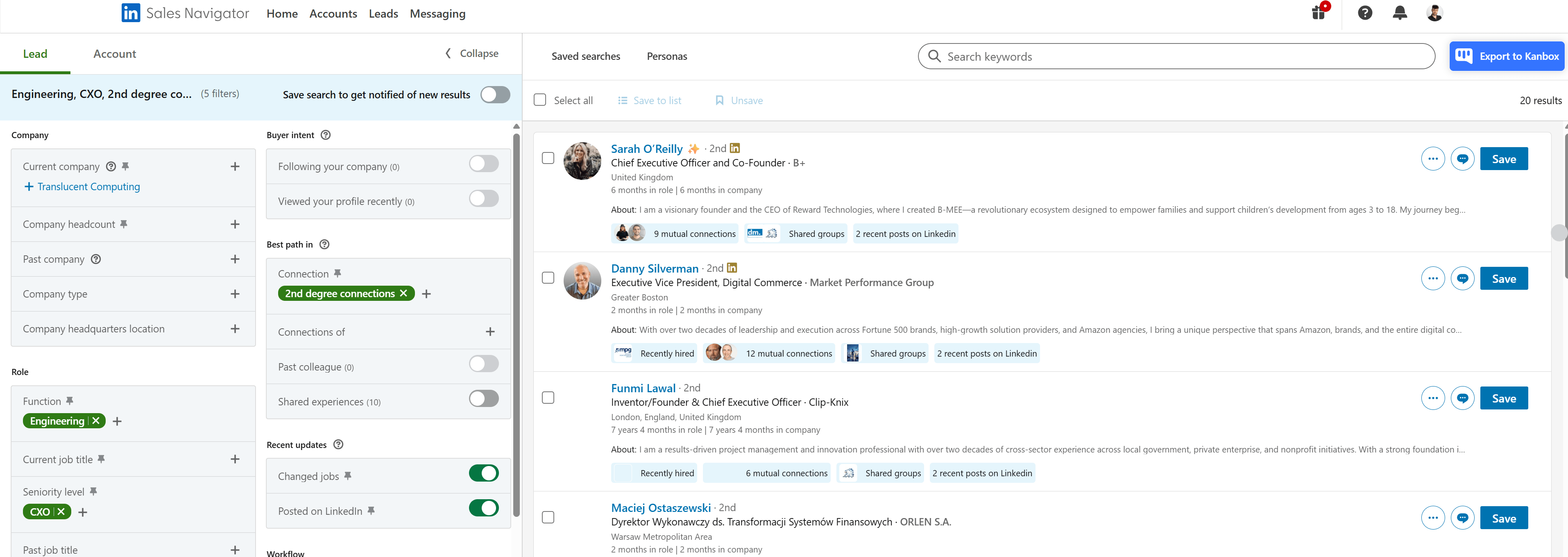
Sales Navigator: Posted on LinkedIn
Find people who posted in the last 30 days. Read the post and respond to its actual topic.
A new role
Sales Navigator: Changed jobs
Find people who changed jobs in the last 90 days. Learn what their new responsibilities involve before reaching out.
Someone hiring
LinkedIn Premium: Actively hiring
Useful when your offer relates to the role being hired, such as helping a team onboard new employees.
A funding round
Company announcements
Look for funding announcements from relevant companies. Read what the company plans to do next and consider where your offer could help.
Use hiring and funding announcements to understand the company’s plans and find a relevant reason to talk. Paid LinkedIn filters depend on your subscription. See Sales Navigator filter definitions and Actively hiring.
See the search examples
Prepare your profile and research the person
Your connection request carries your profile photo and headline. Make it easy to recognize you and understand your role and company. Your headline and profile photo are the first things to review.
If someone opens your profile, your About section, Experience and Featured content should support that introduction with relevant work and evidence. Check your public visibility too.
Find something worth discussing
Before messaging, look beyond a job title. Read a recent post, interview or company announcement. AI tools such as ChatGPT, Gemini or Perplexity can help find and summarize public sources, giving you a specific question, resource or relevant offer to bring to the conversation.
Use the prompt below with a tool that can search the web. Check the linked sources before using a detail in your message.
Research this professional using publicly available sources. Search for relevant posts, articles, interviews, podcasts, conference talks and company announcements. Use the profile and links below as starting points.
Explain their current role and up to three topics relevant to why I want to connect. Cite a source URL for every factual detail and separate confirmed facts from suggestions.
Suggest a short connection note and two follow up options: one relevant question and one useful resource or commercial offer, where appropriate. Base each on a specific source. Do not invent familiarity, achievements, shared interests or personal details. If reliable sources are unavailable, say so.
Person and LinkedIn profile: [add name and link]
Company: [add company]
My role and offer: [add context]
Why I want to connect: [add reason]
Useful starting links: [add any sources]
Connect, then follow up with something relevant
Use the same context from the invitation through to the follow up. Here is how a discussion about campaign approvals can become a useful introduction.
1 · The signal
Maya comments on an industry post: “Our campaigns often stall when approvals are unclear.”
2 · Your invitation
Hi Maya, your point about campaign approvals resonated. I work on brand videos at Walt and would be glad to connect.
3 · After acceptance
Thanks for connecting, Maya. We use a short briefing checklist to clarify approvals early. Would it be useful if I sent it over?
A relevant commercial offer can also be the right follow up. Explain the problem you help solve and why it relates to their work. Ask one clear question rather than adding a generic pitch to every accepted invitation.
More ways to open the conversation
A post or profile expertise
“Your post on customer onboarding raised a question we often hear. How does your team handle the handover from sales?”
Shared context or an event
“Good to meet you at the marketing meetup. Here is the research we discussed.” Use a shared school, colleague or project only when the connection is real.
A role and relevant use case
“I saw you lead customer success. We help teams turn onboarding questions into short customer videos. Is that something your team is working on?”
News or an upcoming event
“I saw your team is expanding into a new market. Will you be at the industry event next month?”
A recommendation or interview question
“Any resources you would recommend on customer education?” Or explain the research you are doing and ask whether they would be comfortable answering a specific question.
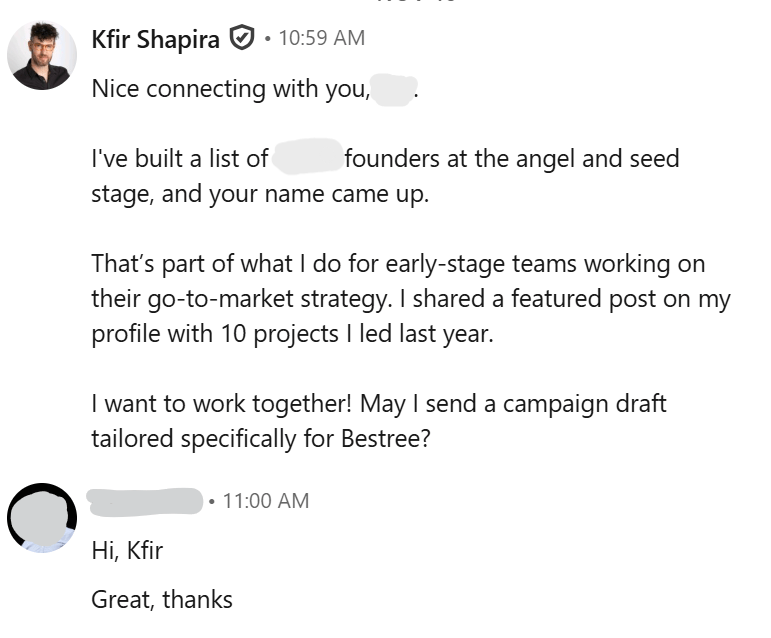
A direct offer and the reply it received
This introduction explains the offer and asks permission to send a tailored campaign draft.
Stay involved before and after you connect
Stay involved with people you have connected with and people you want to meet. Follow their posts, join relevant discussions and contribute where your experience helps. Industry voices can also bring together the audience you want to know.
A useful comment makes your name, headline and expertise visible inside an existing conversation. It gives people another reason to recognize you when an invitation arrives. The Comments guide shows a real example of the reach a comment can attract.
For a team, Linkwiz’s External network report shows which employees interacted with people and pages outside your company. Review comments, reactions, reposts and mentions over a chosen period, then inspect the supporting activity to understand where those conversations are happening.
THE WEEK IN VIEW
24 interactions. Who did the team engage with?
INTERACTION MIX
How did the team engage with other teams?
In this example, three of four employees interacted with external people or pages during the week. The breakdown shows eight comments alongside reactions, mentions and reposts. Review the external interactions guide for the employee and target views behind these totals.
Help your team make a stronger introduction
Create your company report in Linkwiz and include your employees’ LinkedIn profiles. Linkwiz reviews 19 checks across Profile, Engagement and Networking, with employee results, evidence and recommended next steps.
Before sales, marketing and customer success employees start new conversations, review their Profile Photo, Headline and Workplace results. This helps you identify a photo that is not publicly visible, a headline missing your company or an outdated employer.
Linkwiz · Walt company report · Selected profiles
Who needs a profile update before reaching out?
Profile PhotoIs the photo publicly visible?
HeadlineDoes the headline mention Walt?
WorkplaceIs Walt the current workplace?
| Employee | Profile Photo | Headline | Workplace |
|---|---|---|---|
 Belle Beaumont Belle Beaumont | Good | Optimize | Good |
 Arielle Reed Arielle Reed | Good | Good | Good |
 Peter Panley Peter Panley | Optimize | Optimize | Good |
 Jasmine Vale Jasmine Vale | Good | Good | Good |
Good means the check passed. Optimize identifies a profile detail to review.
Belle Beaumont · Headline · Optimize
Evidence
Account Executive | Brand video production
Recommended next step
Mention Walt so people can see which company you represent.
Suggested updateAccount Executive at Walt | Brand video production
Belle’s headline needs the company name. Peter also needs to review his photo visibility. Share the specific finding and the relevant guide with each person, then review the next scan for the update.
Pair these profile checks with the External network report above to review public participation. Review new connections and private follow ups in LinkedIn.
Explore the company report, profile checks and recommended next steps.
Explore the Linkwiz demoReview pending invitations and keep a weekly routine
Set aside a short weekly review. Check who joined your network, follow up where you have something useful to share and find the next relevant discussion. Keep a monthly view to see whether you are reaching more of the people and companies that matter to your work.
When several colleagues know the same contact, shared notes can help you remember what was discussed and who will follow up. The Linkwiz + folk workflow explains how to keep that relationship context alongside employee profile and public participation reviews.
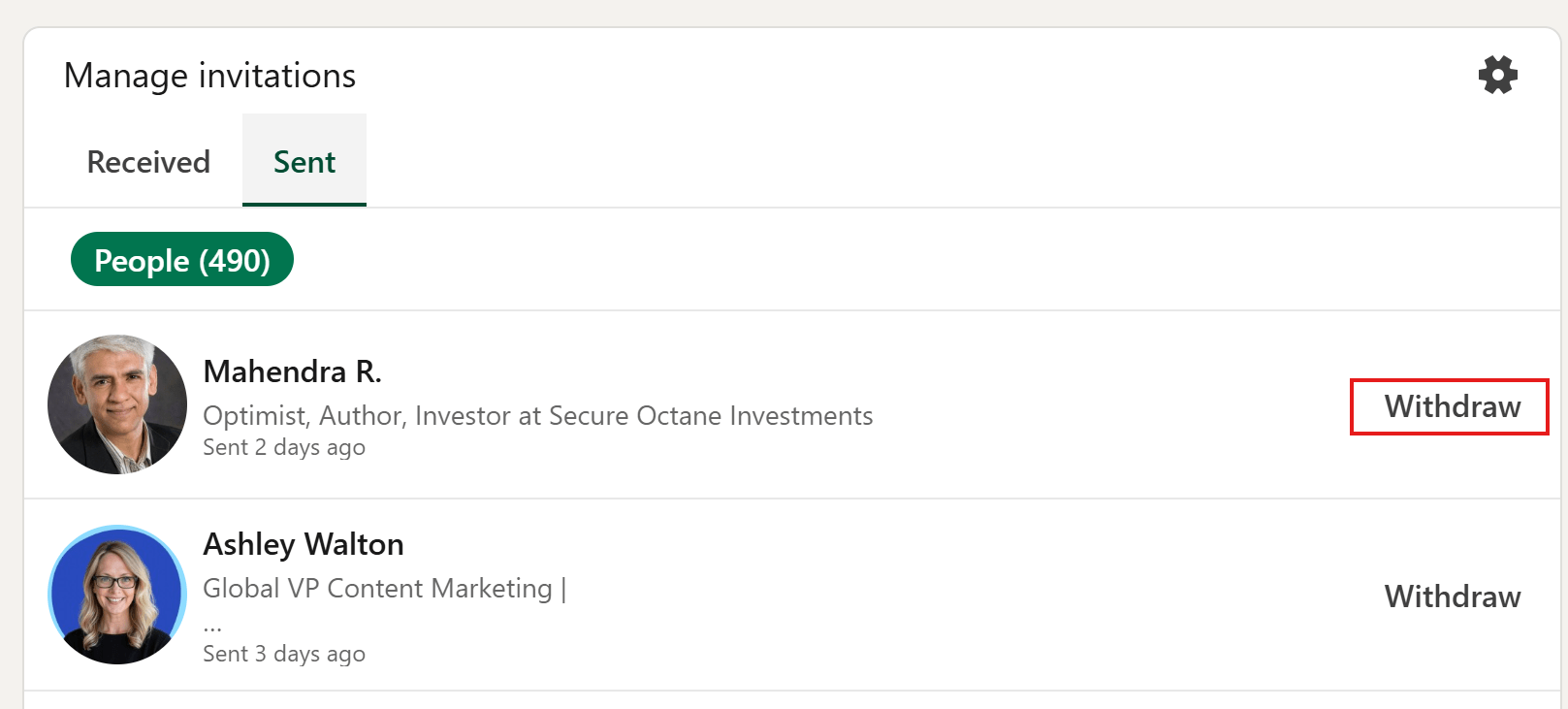
Review pending invitations too. Withdraw requests you no longer want to leave open.
Review the Sent invitations list
Where to review it in LinkedIn
Where to review connections and invitations
On desktop
Open My Network and Connections to review your network. Open Invitations and the Sent list to review pending requests. Use a person’s profile to connect or follow.
In the mobile app
Open My Network to review connections and invitations. Review the Sent invitations list when you want to withdraw a request.
Use the Sent invitations list to review requests that are still waiting for a response.
Your networking checklist
- Review new connections over a week or month.
- Find relevant people through posts, role changes and company signals.
- Make your photo, headline and current company clear.
- Research a specific reason to connect and follow up.
- Keep contributing to relevant conversations.
- Review pending invitations and the team’s profile updates.